ARAM ERP · ERP Software for Trusts

One connected system.Every responsibility.

Every contribution.Clearly accounted.

A clearer viewof your Trust.

Donations, accounts, projects, people and records — brought together for Trust operations.

Connect donors, receipts, accounts and allocations with the work they support.

Bring daily activity, project progress and reports into one connected workspace.

Financial clarity

Financial clarity for greater impact.

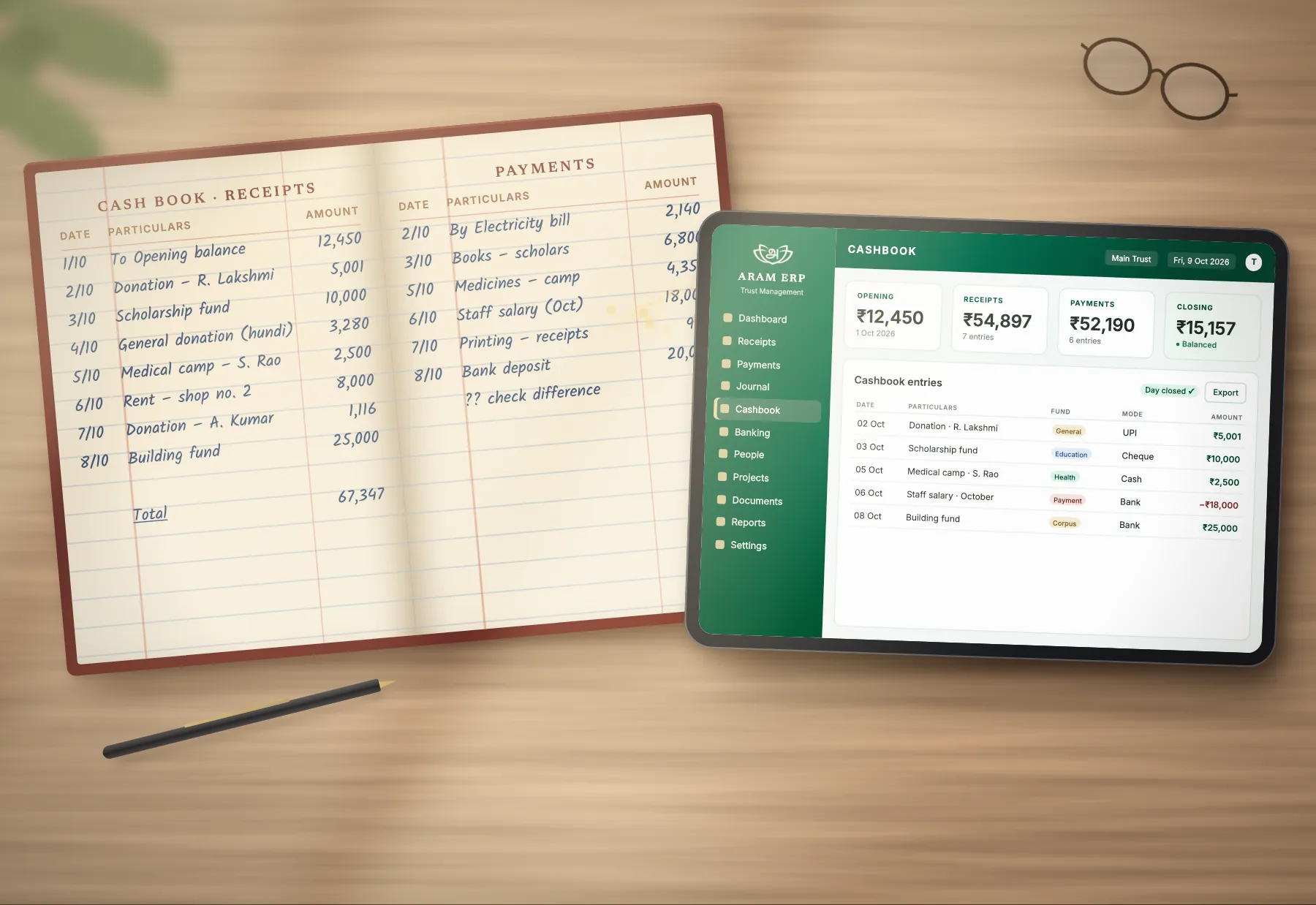
Trusts manage funds across donations, expenses, projects, accounts and reporting. ARAM ERP keeps every one of those records in the same place — so the full path of a rupee stays visible.

A handwritten cash book open on a desk beside a tablet showing the same entries in the ARAM ERP cashbook, balanced and closed for the day
Every rupee, from arrival to report.
Trust ledgerCapabilities
  1. 01Income & expense trackingRecord what comes in and what goes out, in one place.
  2. 02Budget managementPlan budgets and follow spending against them.
  3. 03Automated reportsPrepare reports from records already kept in the system.
  4. 04Bank reconciliationMatch bank activity with recorded entries.
  5. 05Multi-account supportKeep several accounts and funds side by side.
  6. 06Audit trailA history of entries and changes, ready for review.
One record of every entry
Donations, with purpose

Every contribution carries a purpose.

Keep donor records and receipts connected to accounts, allocations and the projects a contribution supports — one continuous trail instead of six separate files.

  1. Donor
  2. Donation
  3. Receipt
  4. Allocation
  5. Project
  6. Report
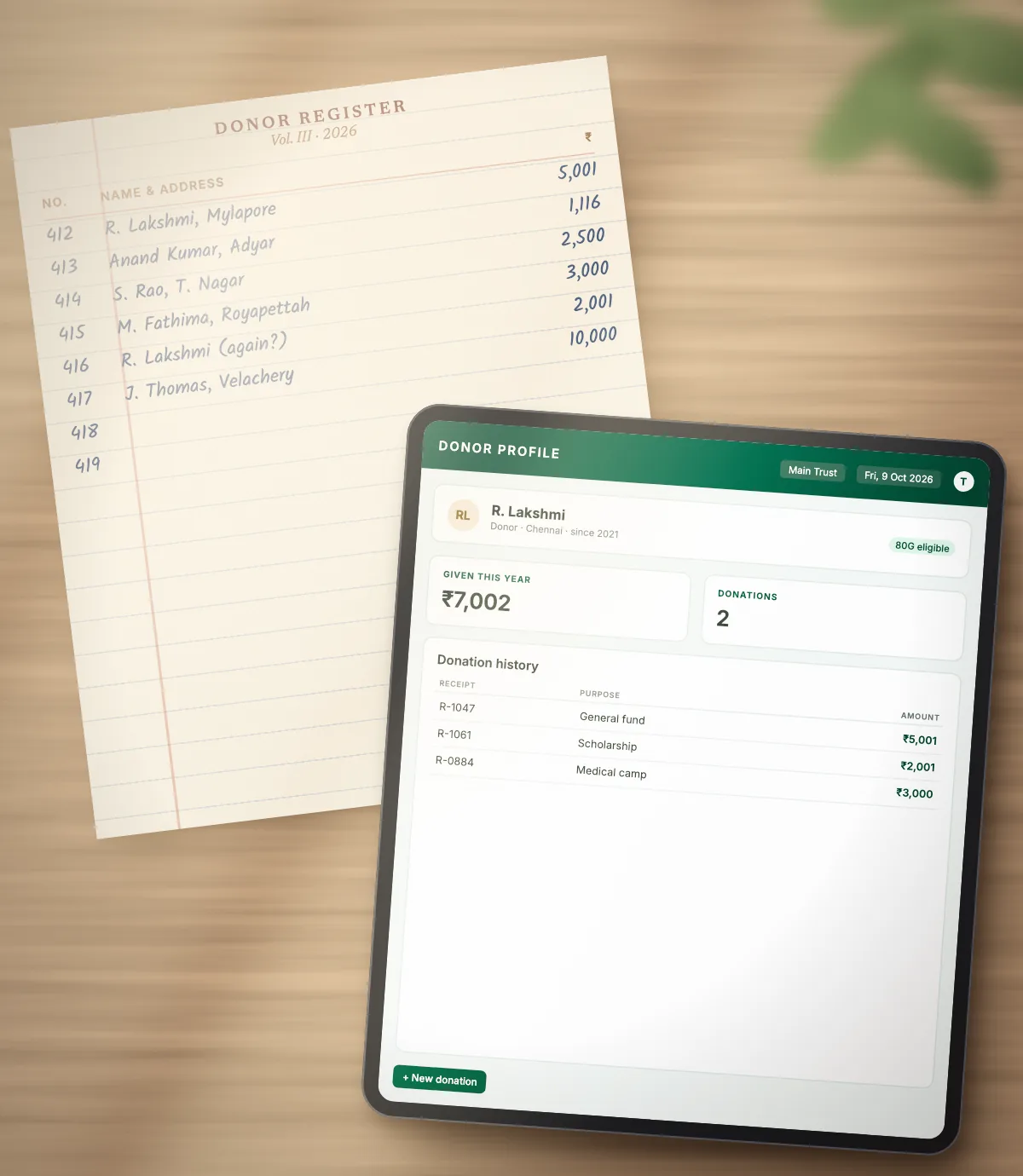
A handwritten donor register beside a tablet showing the same donor’s profile and donation history in ARAM ERP
Donor · Donation

A contribution arrives.

Record each donor and contribution in one place, with a clear view of collections.

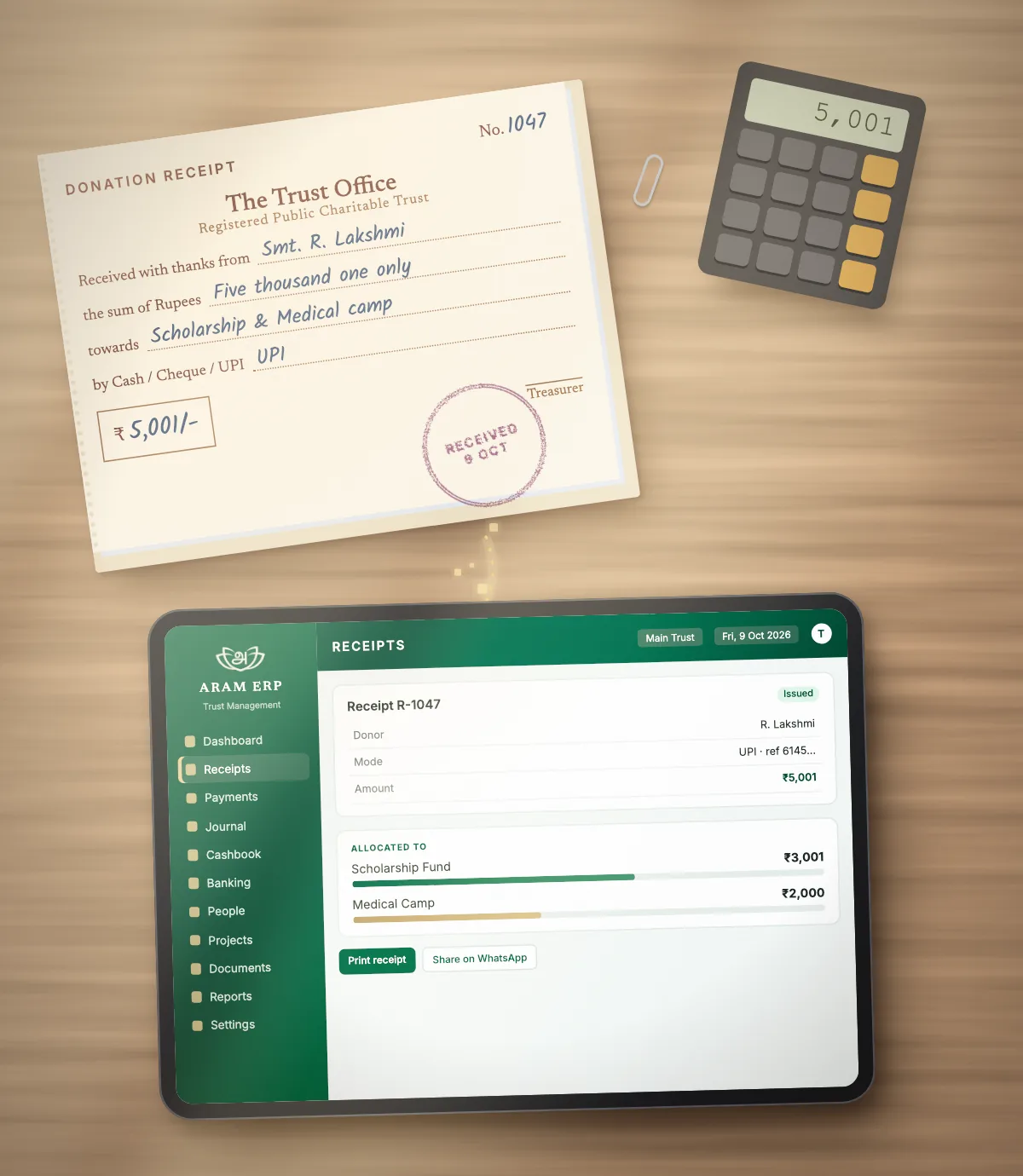
A paper donation receipt book beside a tablet showing the digital receipt in ARAM ERP, with the amount allocated to two funds
Receipt · Allocation

It is receipted and assigned.

Issue a receipt and connect the contribution to the purpose it was given for.
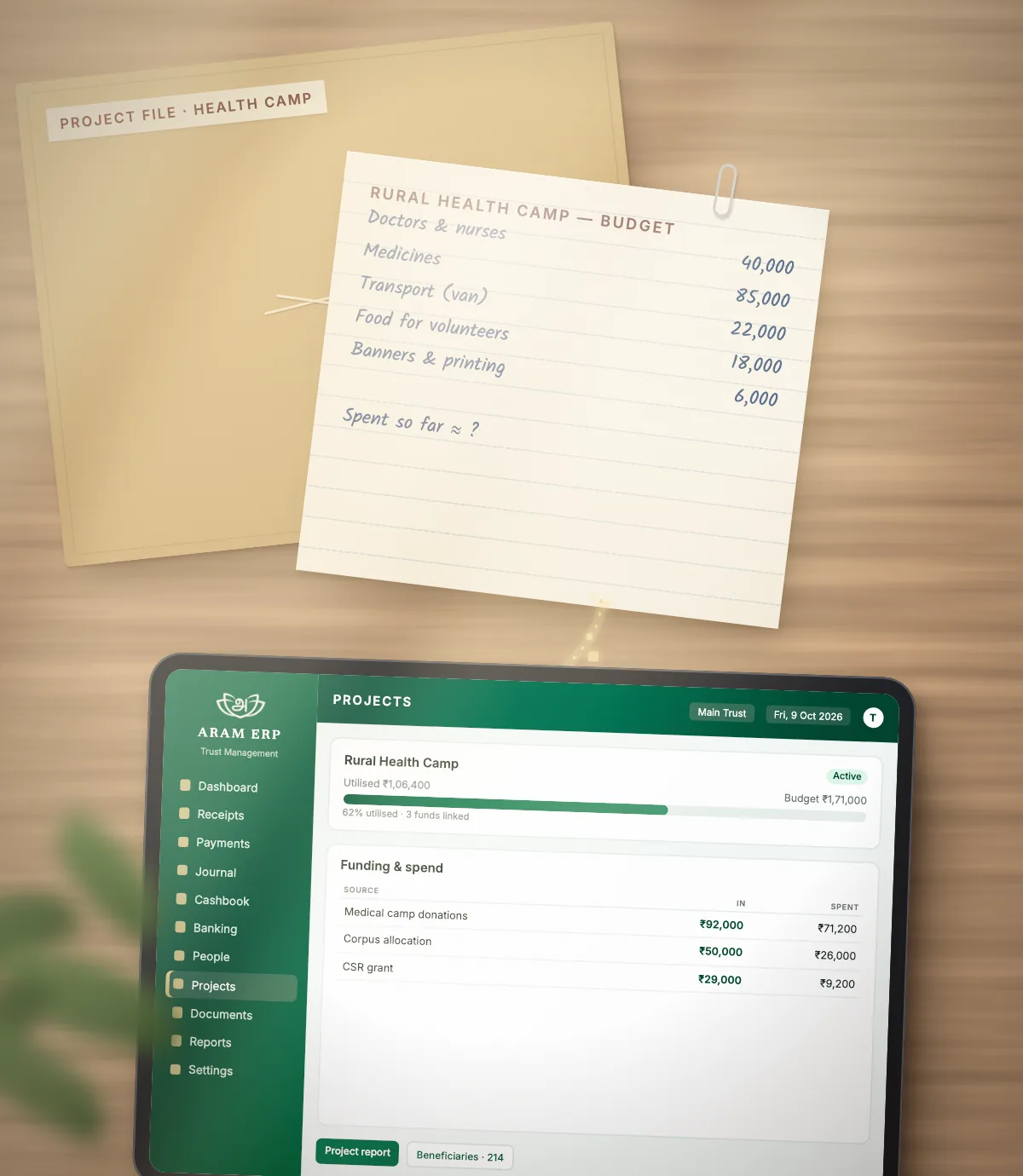
A project file and handwritten budget sheet beside a tablet showing the project’s funding and utilisation in ARAM ERP
Project · Report

It reaches the work.

Follow allocations through to the projects they support and the reports that show progress.

The Trust, connected

One institution. Many responsibilities.

A Trust manages much more than donations. It manages people, projects, documents, approvals and accountability. ARAM ERP brings those responsibilities into one connected workspace — each area stays clear while information moves between them.
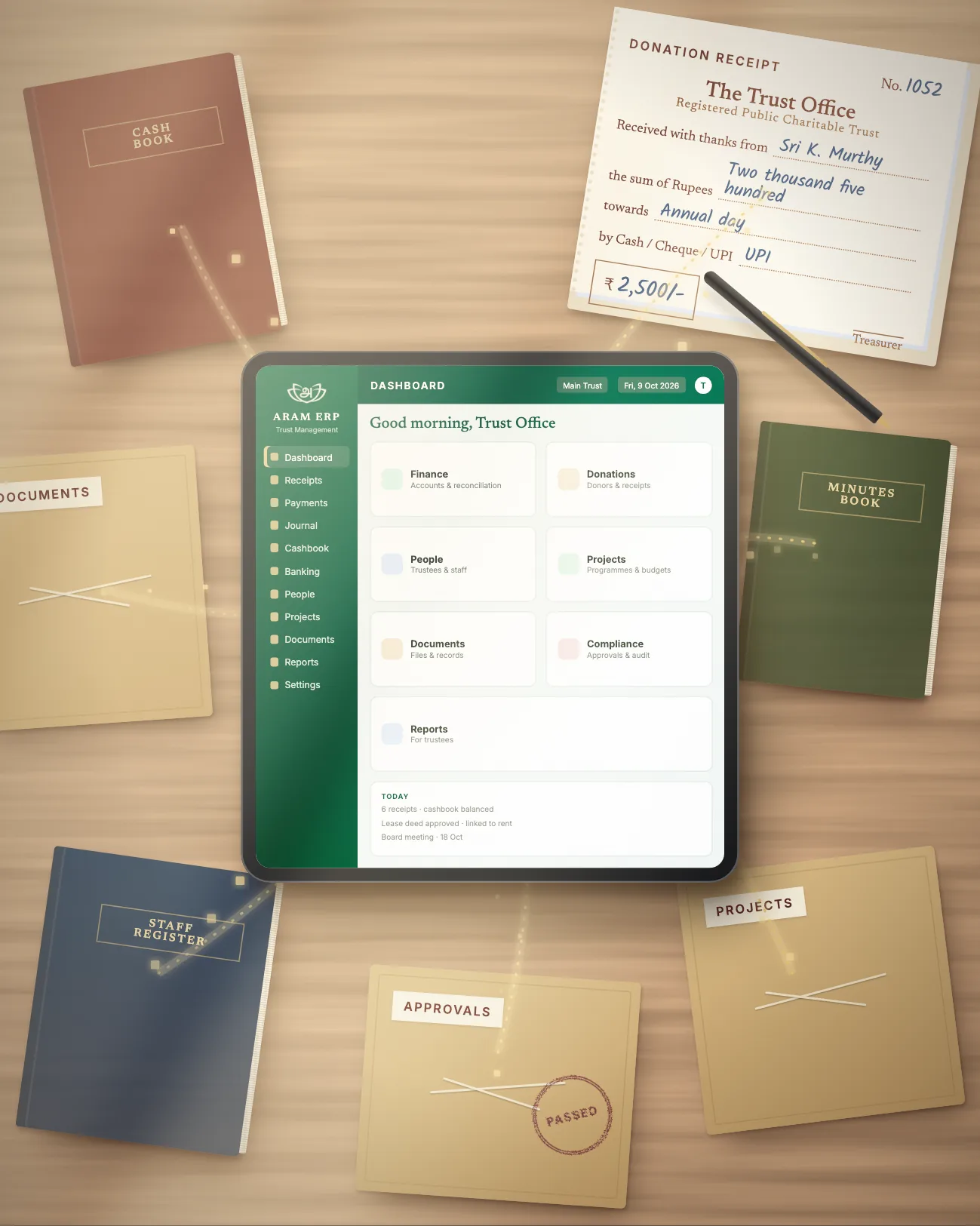
A cash book, receipt book, staff register, minutes book and document, approval and project files arranged around a tablet running the ARAM ERP dashboard
ARAM ERPSeven areas. One system.
  • FinanceAccounts, budgets and reconciliation
  • DonationsDonors, receipts and allocations
  • PeopleTrustees, staff and their roles
  • ProjectsProgrammes, budgets and progress
  • DocumentsRecords and supporting files
  • ComplianceApprovals and audit trails
  • ReportsViews for trustees and reviewers
People & governance

Clear roles. Thoughtful oversight.

Give trustees, accounts teams, project teams, administrators, staff and auditors a view shaped around their responsibilities — with approvals and a trail that keeps everyone accountable.

Role-based access
Each person sees what their work requires.
Visibility
Trustees can follow activity across the Trust.
Responsibility
Every entry belongs to someone.
Approval
Decisions move through defined steps.
Accountability
A record of who did what, and when.
Access & accountabilityIllustrative — configured per Trust
Illustrative example of role-based access in ARAM ERP
RoleFinanceDonationsProjectsDocuments
TrusteesOversight across the TrustViewViewViewView
Accounts TeamFinance and reconciliationManageManageViewView
Project TeamActivities and allocationsNo accessViewManageManage
AdministratorsRoles, records and settingsManageManageManageManage
StaffDay-to-day entriesNo accessManageViewView
AuditorsReview and audit trailViewViewViewView
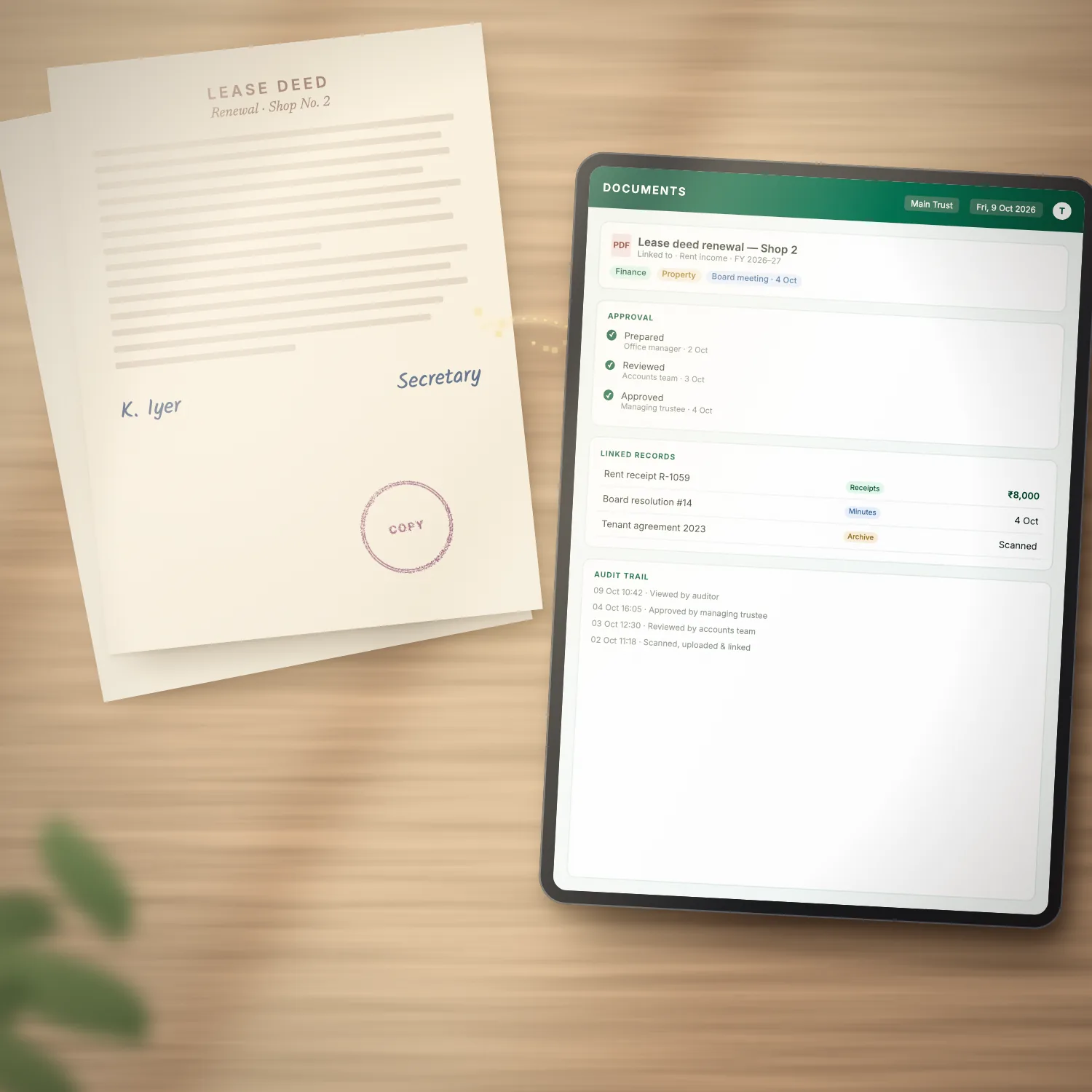
A signed paper lease deed beside a tablet showing it as a document record in ARAM ERP, with approvals, linked records and an audit trail
Documents & records

Everything has a place. Every step stays traceable.

Keep supporting documents close to the records, decisions and activity they belong to.

  1. DocumentA file is added and linked to its context.
  2. ReviewThe right people look it over.
  3. ApprovalA decision is recorded against it.
  4. RecordIt becomes part of the Trust’s record.
  5. Audit trailEach step stays traceable later.
Projects & impact

Trusts exist to create impact. Make it visible.

Connect project funding with execution, expenses, beneficiaries and reporting — so trustees and teams can follow the work from the first rupee to the final report.
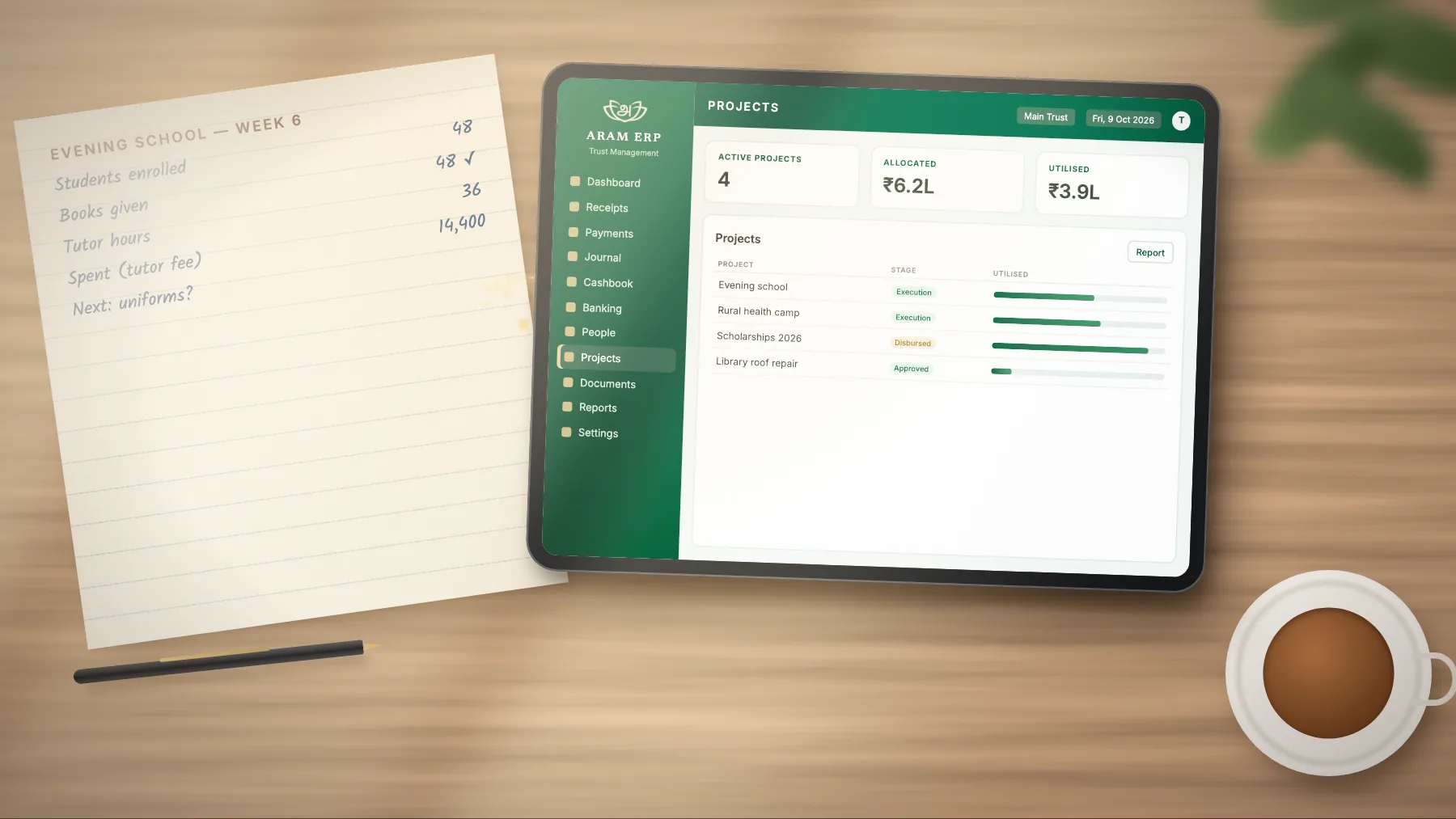
A handwritten project notebook beside a tablet listing the Trust’s projects, their stage and budget utilisation in ARAM ERP
Project record
  1. 01FundingSources and budget recorded
  2. 02ProjectProgramme and team defined
  3. 03ExecutionActivities, expenses and utilisation
  4. 04BeneficiariesWho the work reaches
  5. 05ReportingProgress ready for review
A clearer way of working

Less searching. More seeing.

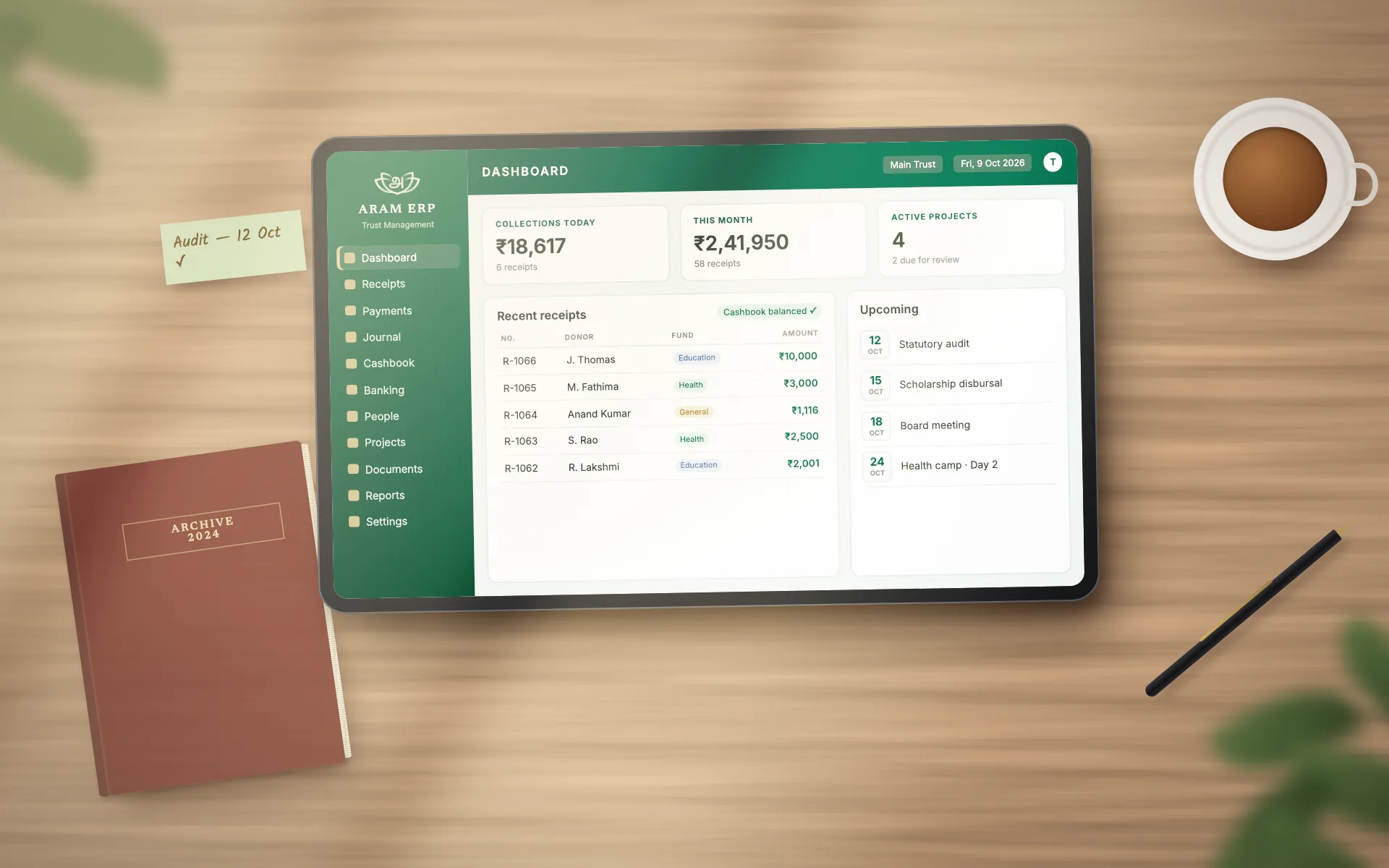
Drag across the frame to compare a Trust’s administration before and after its work is brought into one place.
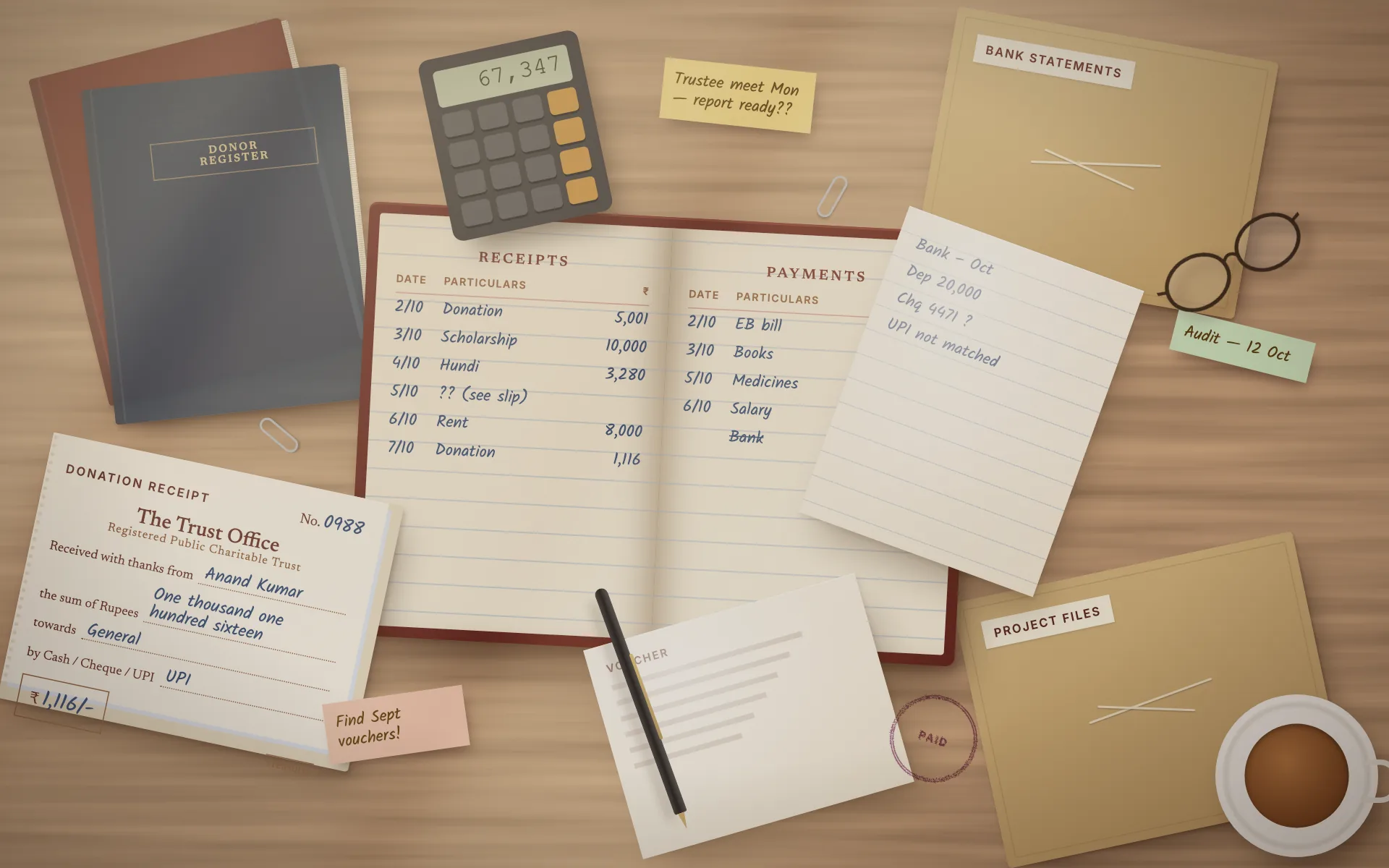
Before: registers, receipt books, loose vouchers, sticky notes and bank statement files crowding a Trust office desk
After: the same desk, clear except for a tablet running the ARAM ERP dashboard and one archived register
BeforeWith ARAM ERP

When records are scattered

  • Spreadsheets
  • Paper records
  • Disconnected documents
  • Manual reconciliation
  • Scattered project information
  • Reporting effort

With ARAM ERP

  • Connected finance
  • Traceable donations
  • Project visibility
  • Organized records
  • Role-based access
  • Clear reporting
How it works

A thoughtful start, shaped around your Trust.

A guided process to understand your institution and bring its day-to-day work into one system.

  1. 01

    Understand

    We map your Trust’s funds, people, projects, workflows and reporting needs.

  2. 02

    Configure

    Roles, financial structures, approvals and records are set up around how you work.

  3. 03

    Connect

    Donations, projects, people and documents are brought together in one system.

  4. 04

    Go Live

    Daily Trust operations move into one connected workspace, with your team alongside.

The product

One calm view of daily Trust operations.

This is the real ARAM ERP dashboard — donations, accounts, projects, people, documents and reports in a single operational view.
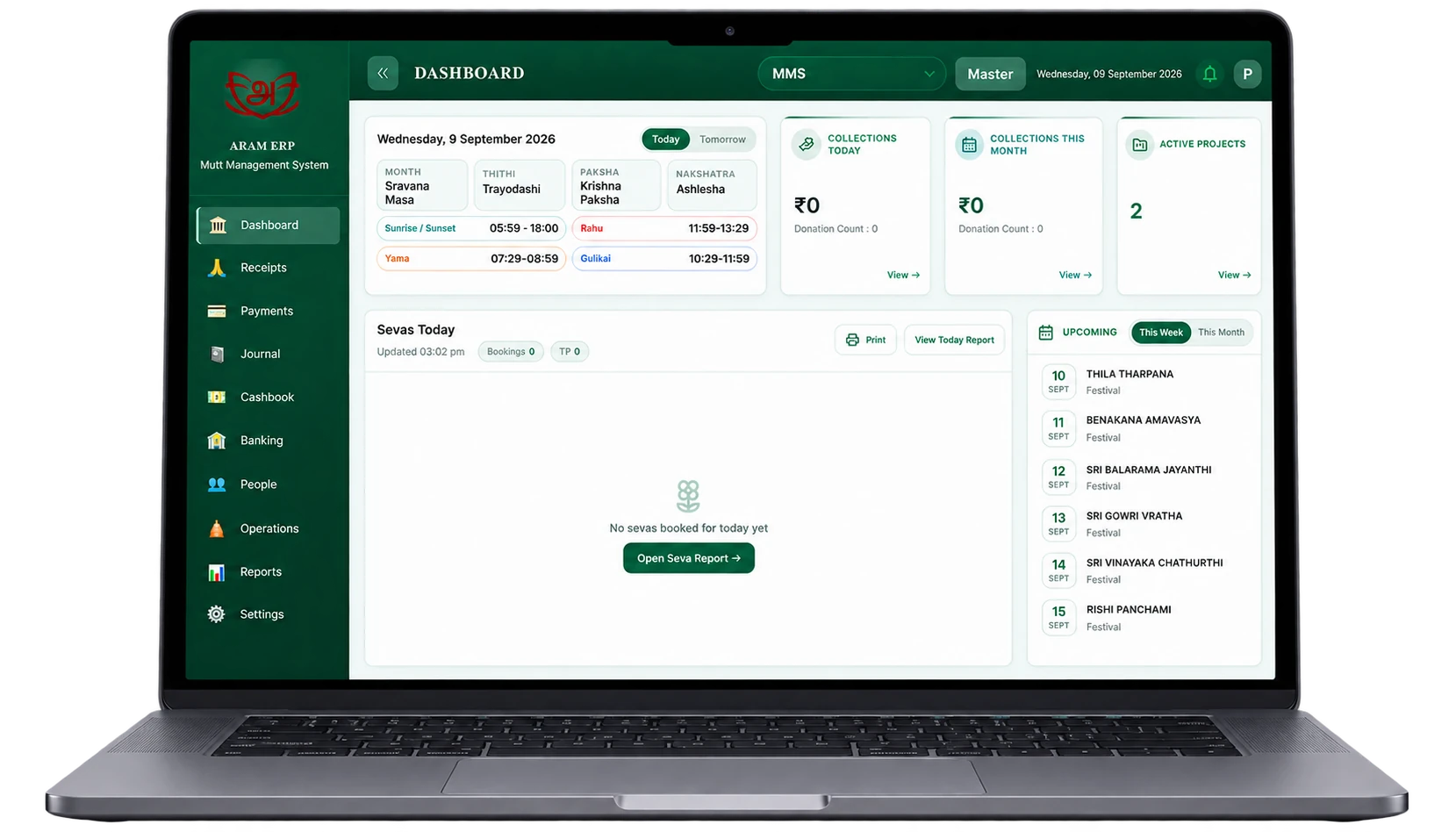
The ARAM ERP dashboard on a laptop, showing today’s date panel, collections today and this month, active projects, and a sidebar with receipts, payments, journal, cashbook, banking, people, operations and reports
  • 01Collections at a glanceToday’s and this month’s collections on the home screen.
  • 02Active projectsOngoing projects visible alongside daily activity.
  • 03Everything in one sidebarReceipts, payments, journal, banking, people, operations and reports.
Request a Demo See it configured for your Trust.
Why ARAM ERP

Every responsibility, held together.

  • 01One connected platformFinance, donations, people, projects and records share one system.
  • 02Part of the ARAM ERP familyA sibling of ARAM ERP for Mutts, from the same team at Kapplabs.
  • 03Role-based accessVisibility shaped around each person’s responsibilities.
  • 04Traceable recordsInformation stays connected for review and audit.
Reviews

Already in daily use.

Daily collections, sevas, and reports are clear at a glance now. What used to take a full day of reconciliation takes minutes.

Sri Raghavendra MuttNanganallur, ChennaiBefore1 dayWith ARAM ERPMinutes
Resources · FAQ

Good questions, clear answers.

How ARAM ERP supports a Trust’s daily work. Something else on your mind?

kapplabs@kannanware.com

The platform brings finance, donations, projects, people, documents and reporting into one connected workspace. The right configuration depends on your Trust’s operating model.

Donation records, accounts and project expenses can be organized together, so the relationship between contributions and activity is easier to review.

Role-based access and branch-level controls help organize access around responsibilities — trustees, accounts, project teams, administrators, staff and auditors.

Projects and activities can be tracked alongside budgets, expenses and utilisation records.

Document records and approval workflows keep supporting information connected to the operational activity it belongs to.

Reports draw on the records already kept in the system, so finance, donations and project activity can be reviewed together.

The process starts by understanding your Trust’s structure and reporting needs, then configuring the relevant workflows and records with your team.

Request a demo

Bring every responsibility together.

See how ARAM ERP can bring your Trust’s finance, donations, people, projects and reporting into one connected system.

Opens your email app with these details, addressed to kapplabs@kannanware.com.